Quickstart

1. Start PasteGuard

git clone https://github.com/sgasser/pasteguard.git
cd pasteguard
cp config.example.yaml config.yaml
docker compose up -d
PasteGuard runs on http://localhost:3000. Dashboard at http://localhost:3000/dashboard.
By default, only English is installed (~1.5GB image). To add more languages:
# English + German + French (~2.5GB)
LANGUAGES=en,de,fr docker compose up -d --build
Update config.yaml to match:
pii_detection:
  languages:
    - en
    - de
    - fr
See PII Detection Config for all 24 available languages.

2. Make a Request

Point your OpenAI client to PasteGuard:
from openai import OpenAI

client = OpenAI(
    base_url="http://localhost:3000/openai/v1",
    api_key="your-openai-key"
)

response = client.chat.completions.create(
    model="gpt-5.2",
    messages=[
        {"role": "user", "content": "Write a follow-up email to Dr. Sarah Chen (sarah.chen@hospital.org)"}
    ]
)

print(response.choices[0].message.content)

3. Verify PII Protection

Check the response headers:
X-PasteGuard-PII-Detected: true
X-PasteGuard-PII-Masked: true
The name and email were masked before reaching OpenAI and restored in the response.

4. View Dashboard

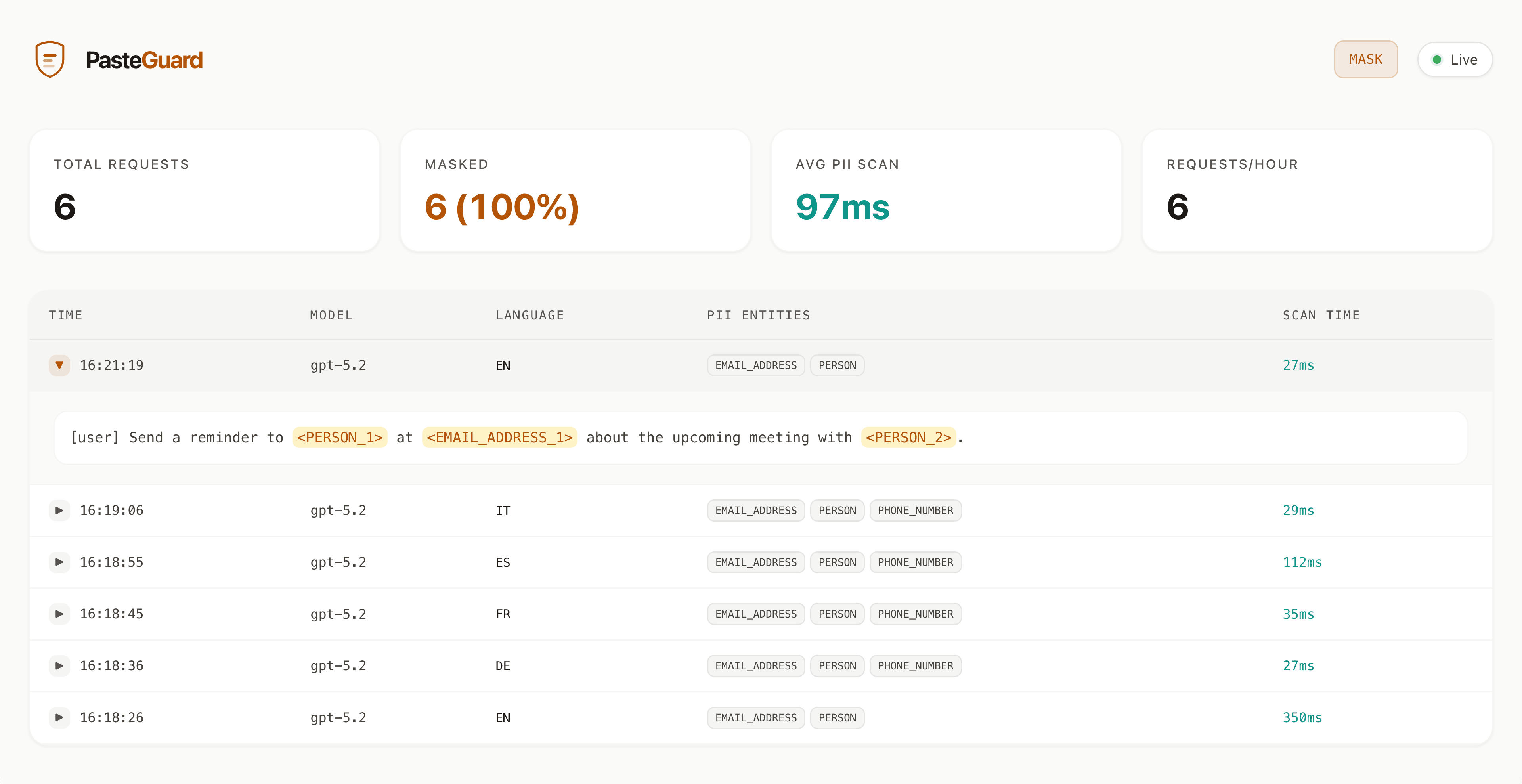
Open http://localhost:3000/dashboard in your browser to see:
  • Request history
  • Detected PII entities
  • Masked content sent to the LLM
PasteGuard Dashboard

What’s Next?